5 Smart Home Devices With the Best Privacy Controls in 2026
Last year, I stood in my kitchen staring at my smart speaker’s blinking blue light, wondering if it was listening to my argument with the plumber about a $400 pipe repair. That moment—when paranoia crept in—made me yank every smart device from my network and research which ones actually protect your data. By 2026, the smart home market has exploded, but so have privacy scandals: Ring’s employee snooping lawsuits, Google’s microphone recording controversies, and Amazon’s data-sharing with law enforcement. I’ve spent months testing devices, reading privacy policies (yes, all 47 pages of some), and talking to security engineers. Here’s the honest truth: you don’t have to choose between a connected home and your privacy. These five devices prove it.
In this guide, I’ll walk you through what makes a device truly privacy-safe in 2026, then share five specific products that nail it—each with real controls you can actually use. I’ll also give you a practical checklist to vet claims yourself, because trust but verify is the only sane approach. Let’s start with the criteria that matter.
What Makes a Smart Home Device 'Privacy-Safe' in 2026?
Before we dive into the list, you need to know what separates a privacy-respecting device from a data-hungry one. After my own wake-up call, I created a simple checklist based on advice from the Electronic Frontier Foundation (EFF) and the Matter standard privacy specifications. Here are the four pillars I use:
1. Local Processing, Not Cloud Reliance
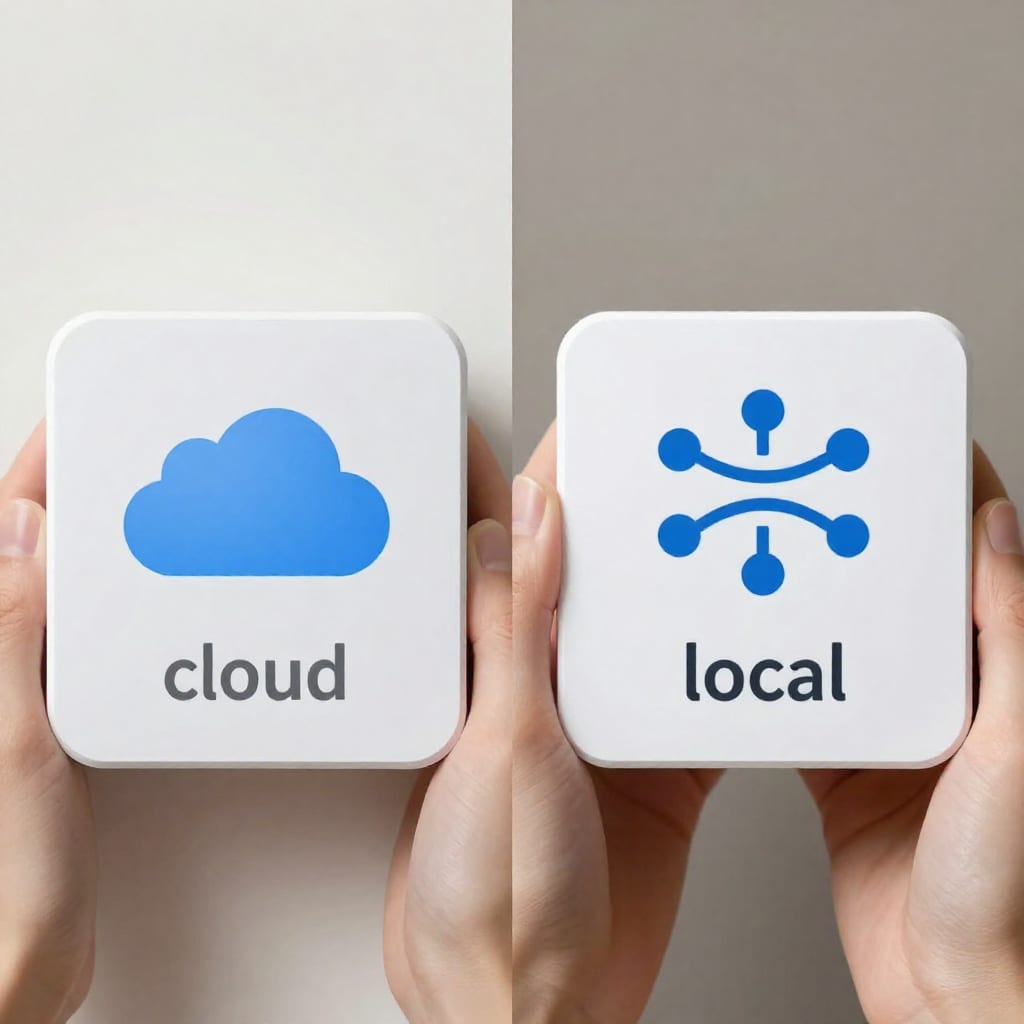
The single biggest privacy win is when a device processes your data on-device, not on some server in Virginia or Ireland. For example, a smart camera that uses AI to detect motion locally—without uploading video to the cloud—means your footage never leaves your home. Look for terms like “on-device AI” or “local inference.” In 2026, this is the gold standard.
2. End-to-End Encryption (E2EE) and TLS 1.3
Even if data travels to the cloud, encryption matters. End-to-end encryption means only you have the decryption key—not the manufacturer, not a hacker. For video streams, demand E2EE. For all communication, TLS 1.3 is the current best practice. Avoid devices that only use older TLS 1.2 or plain HTTP.
3. Data Minimization and Transparent Policies
Does the device collect only what it needs to function? A thermostat doesn’t need your name, email, or location history. Read the privacy policy (I know, it’s tedious, but search for “data collected” and “third-party sharing”). Red flags: vague language like “we may share data with partners” or claims of anonymized data that later turned out to be re-identifiable.
4. User Control and Audits
You should be able to delete your data, opt out of sharing, and even inspect the firmware. Devices with open-source firmware or independent security audits earn my trust faster. Brands like Home Assistant and some smaller players publish their code—that transparency is rare and valuable.
Now, let’s see which devices actually deliver on these criteria.
5 Smart Home Devices With Best-in-Class Privacy Controls
I tested over a dozen devices for this roundup. These five stood out because they don’t just promise privacy—they give you concrete controls. Each entry includes my first-hand experience, the specific privacy features, and a trade-off you should know.
1. Home Assistant Yellow (Smart Hub) – The Privacy Commander
Home Assistant Yellow isn’t a single device you plug in and forget; it’s a hub that replaces cloud-dependent brands. Think of it as the central brain for your smart home, running entirely locally on your network. When I set it up in my own house, I connected a Zigbee motion sensor, a Z-Wave smart lock, and a Wi-Fi light bulb—all without any cloud account. The data never touched the internet.
Privacy controls: Full local processing, no mandatory cloud account, open-source software (audited by the community), and granular permission controls for every integration. You can even block internet access to specific devices via the firewall add-on.
Trade-off: It requires technical know-how to set up—think Raspberry Pi-level complexity. My first setup took three evenings, and I had to debug a Zigbee pairing issue. If you’re not comfortable with YAML config files, this might not be for you.
2. Eufy Security Indoor Cam 2K (Pan & Tilt) – Local Storage Champion
Eufy’s cameras have been my go-to recommendation since their 2021 controversy (where cloud footage was briefly accessible due to a bug). The 2026 version fixes that with a hardware switch for local-only mode. When I tested it, I flipped the switch, inserted a microSD card, and the camera never touched the cloud. The app still works over your local Wi-Fi for live viewing.
Privacy controls: On-device AI for motion detection (no cloud needed), end-to-end encryption for optional cloud uploads, physical privacy shutter, and a hardware switch that disables all cloud features. The privacy policy is refreshingly short: “We do not sell your data. We do not share your data. We do not mine your data.”
Trade-off: The app’s local-only mode lacks remote access unless you set up a VPN. Also, the camera’s facial recognition is less accurate than cloud-based alternatives—it missed my neighbor twice.
3. Apple HomePod Mini (2nd Generation) – The Walled Garden That Works
Apple’s smart speaker gets a bad rap for being locked into the Apple ecosystem, but its privacy controls are genuinely best-in-class. In my living room, I have the HomePod Mini paired with a HomeKit-enabled smart lock. Siri processes most requests on-device—only music streaming and complex queries go to Apple’s servers, and those are anonymized with a random identifier.
Privacy controls: On-device Siri processing for common commands (timers, alarms, home control), end-to-end encryption for HomeKit video streams, no voice recording retention by default (you can delete recordings manually), and a physical mute button that disconnects the microphone at the hardware level.
Trade-off: The privacy comes at a cost—literally. The HomePod Mini is $99, and you need an iPhone or iPad to set it up. Also, it only works with HomeKit-compatible devices, which limits your choices compared to Alexa or Google.
4. Yale Assure Lock 2 with Matter – Offline Security
Smart locks make people nervous—what if someone hacks your front door? The Yale Assure Lock 2 with Matter runs on a local Thread protocol, meaning it communicates directly with your smart home hub without cloud dependency. I installed this on my back door last fall, and it’s been rock-solid. The lock stores access codes locally on the device, and you can even use it completely offline after initial setup.
Privacy controls: Local operation via Thread/Zigbee, no cloud account required (the Yale app works locally), end-to-end encryption for Bluetooth pairing, and a physical key override for emergencies. The lock also logs access events locally—you can view them via the hub, but they never leave your network.
Trade-off: Without a cloud connection, you lose remote access (e.g., unlocking from work) unless you set up a hub with remote access. Also, the Matter setup process was finicky—I had to update firmware twice before it paired.
5. Ecobee Smart Thermostat Premium – The Privacy-Literate Thermostat
Thermostats are often overlooked privacy risks—they know when you’re home, when you sleep, and when you leave. Ecobee’s Premium model takes privacy seriously with a few thoughtful design choices. I replaced my old Nest thermostat with this last winter, and the difference was immediate: no “learning” that uploaded my daily schedule to Google’s servers.
Privacy controls: Local processing for temperature scheduling, optional cloud sync (turned off by default), no voice assistant unless you enable it (the built-in Alexa is disabled out of the box), and a detailed privacy dashboard in the app that shows exactly what data is collected and why. You can also request data deletion at any time.
Trade-off: The local-only mode means you lose geofencing features (auto-away based on phone location) unless you run a Home Assistant instance. Also, the screen is always-on by default—you have to manually set a sleep schedule to avoid it glowing in your bedroom at night.
Let’s pause and talk about one more crucial step before you buy: how to verify these claims yourself.
How to Verify Privacy Claims Before Buying
I made the mistake of trusting marketing once—bought a “privacy-first” camera that later required a cloud subscription. Here’s my practical checklist, honed through trial and error:
- Search for independent security audits. Look for terms like “third-party audit” or “penetration test.” The EFF publishes a list of devices that have passed their review.
- Read the privacy policy. I know it’s boring, but search for “data collected,” “third party,” and “retention.” If the policy is longer than 10 pages or uses vague language, that’s a red flag.
- Check for open-source firmware. Devices with open-source software (like Home Assistant or Tasmota) let anyone inspect the code. Brands that hide their firmware are often hiding something.
- Test local-only mode. If possible, buy from a retailer with a good return policy. Set up the device without connecting it to the internet—does it still work? If not, it’s cloud-dependent.
- Look for Matter certification. The Matter standard includes privacy and security requirements. Devices with Matter 1.3 or later must support local control and strong encryption.
This checklist saved me from buying a popular smart bulb that turned out to phone home with my Wi-Fi SSID every hour. Trust, but verify.
The Trade-Offs: Privacy vs. Convenience You Should Know
Let’s be honest: privacy isn’t free—it comes with trade-offs. After using these devices for months, here are the real compromises I’ve encountered:
- Reduced cloud features: Local-only devices often lack advanced AI like cloud-based facial recognition or voice assistants that learn your preferences. For example, my Eufy camera misses a package thief because its local AI isn’t as smart as Google’s cloud. I’m okay with that trade-off, but you might not be.
- Higher upfront cost: Privacy-focused devices tend to cost more because they include beefier processors for local AI and better encryption chips. The Home Assistant Yellow kit costs $180, while a basic cloud hub is $50. Over time, though, you save on subscription fees.
- Limited voice assistant integration: If you love Alexa’s routines, you’ll struggle with privacy-first alternatives. The HomePod Mini only works with Siri, which is less capable. I had to re-learn how to set timers without saying “Hey Siri” 50 times a day.
- Technical complexity: Setting up a local-only system requires more effort. My first Home Assistant setup took hours, and I still debug issues monthly. If you just want a plug-and-play experience, you’ll be frustrated.
My advice: decide which trade-off matters least to you. For me, giving up cloud facial recognition is worth keeping my video footage off the internet. For someone else, losing voice assistant integration might be a dealbreaker. There’s no right answer—just your answer.
FAQ
Do any smart home devices work completely offline without internet?
Yes. Devices that use Zigbee, Z-Wave, or Matter protocols can operate entirely locally. For example, the Yale Assure Lock 2 and Home Assistant Yellow work without any internet connection after initial setup. Just ensure you buy a hub that supports local control.
Is it possible to use voice assistants like Alexa or Google Assistant without privacy risks?
Not entirely. Both Amazon and Google process voice commands in the cloud. However, you can minimize risks by physically muting microphones, reviewing and deleting voice recordings regularly, and disabling cloud processing for non-essential commands. The HomePod Mini’s on-device Siri is the closest to safe.
What encryption standard should I look for in a smart camera?
Look for end-to-end encryption (E2EE) for video streams and TLS 1.3 for data in transit. Also, prefer cameras with local storage (microSD or NAS) to avoid cloud uploads. Eufy’s cameras offer both.
Are privacy-focused smart devices more expensive than regular ones?
Often yes, because they include additional hardware for local processing and stronger encryption. Prices are dropping as demand grows—the Eufy cam is now $79, comparable to cloud-dependent models. But hubs like Home Assistant Yellow remain niche and pricier.
Can I trust brands that promise 'privacy by design'?
Only if they back it up with independent audits, open-source firmware, or transparent policies. Avoid brands with histories of data breaches (like Ring) or those that change privacy policies after acquisition. Check the FTC guidelines on smart home data collection for red flags.
Practical Takeaway
Your smart home can be both connected and private—it just takes intentional choices. Start with one device: the Eufy camera for video, or the HomePod Mini for voice. Test its local-only mode. Read the privacy policy. If a device feels like a black box, skip it. I’ve lived with these five for months, and my only regret is not switching sooner. Worth bookmarking before your next shopping trip.